Visual Audio Projects
Every problem producers face, finding the right collab, working safely with others and getting real guidance on your mix. one platform built around the way producers create.
Integrates with
 FL Studio
 Ableton
 Logic Pro
 YouTube
 TikTokFL StudioAbletonLogic ProYouTubeTikTokFL StudioAbletonLogic ProYouTubeTikTok
Advanced Features
AI-Powered Audio Analysis
Analyze your audio and get back full detailed feedback on EQ, Mix, and Mastering using our advanced AI.
Project Management
Keep all your demos & projects organized and accessible all versions, all DAWs.
Secure Collaboration
Work with producers globally with end-to-end encrypted sharing of your projects.
Self Feedback
Get yourself feedback on your own tracks insights and enhancement suggestions anytime.
Turn any track into a beat-synced video edit
Instead of making cuts by hand in CapCut or After Effects, there's an easier way.
Drop in your clips, hit Auto-Edit, and get a music video that cuts in time with your song. No scrubbing a timeline, no manual keyframes, just your footage moving to the beat.
Drop your clips and build a queue
Pull in any videos you like and stack them into a queue. Choose how each clip fills the frame, loop the queue or play it once, and set a default transition for the whole edit.
- Drag and drop MP4, MOV, WebM, MKV or M4V sources
- Group clips and reorder the queue in seconds
- Dial in fewer, cleaner cuts with a single slider
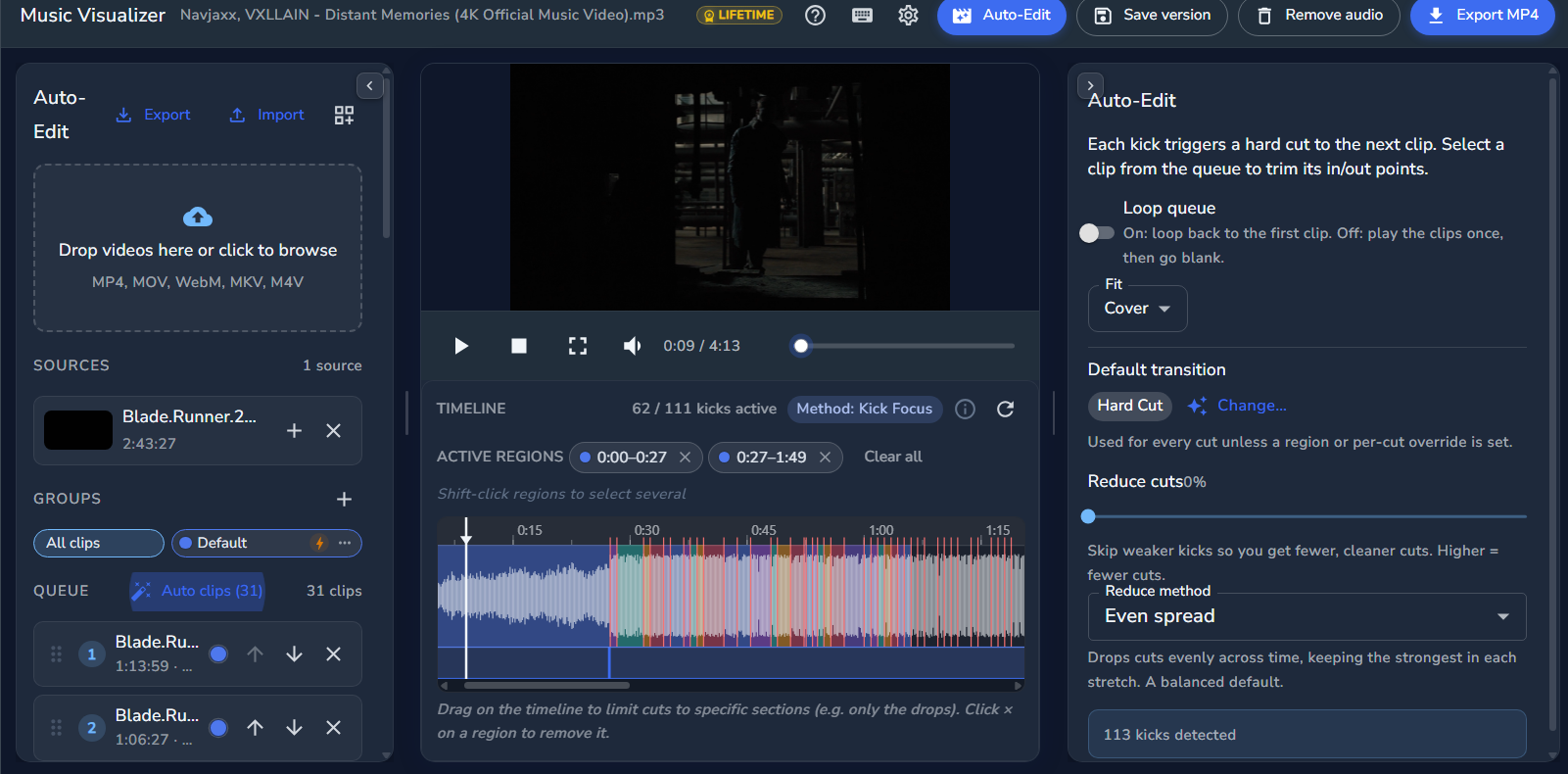
Every cut lands on the beat
Auto-Edit follows the energy of your track and lines up each cut with the music for you. Want cuts only on the drops? Drag across the timeline to focus them on the sections that matter.
- Pick which sections of the song get cut
- Fine-tune any clip's in and out points
- Reshuffle or trim without touching the rest
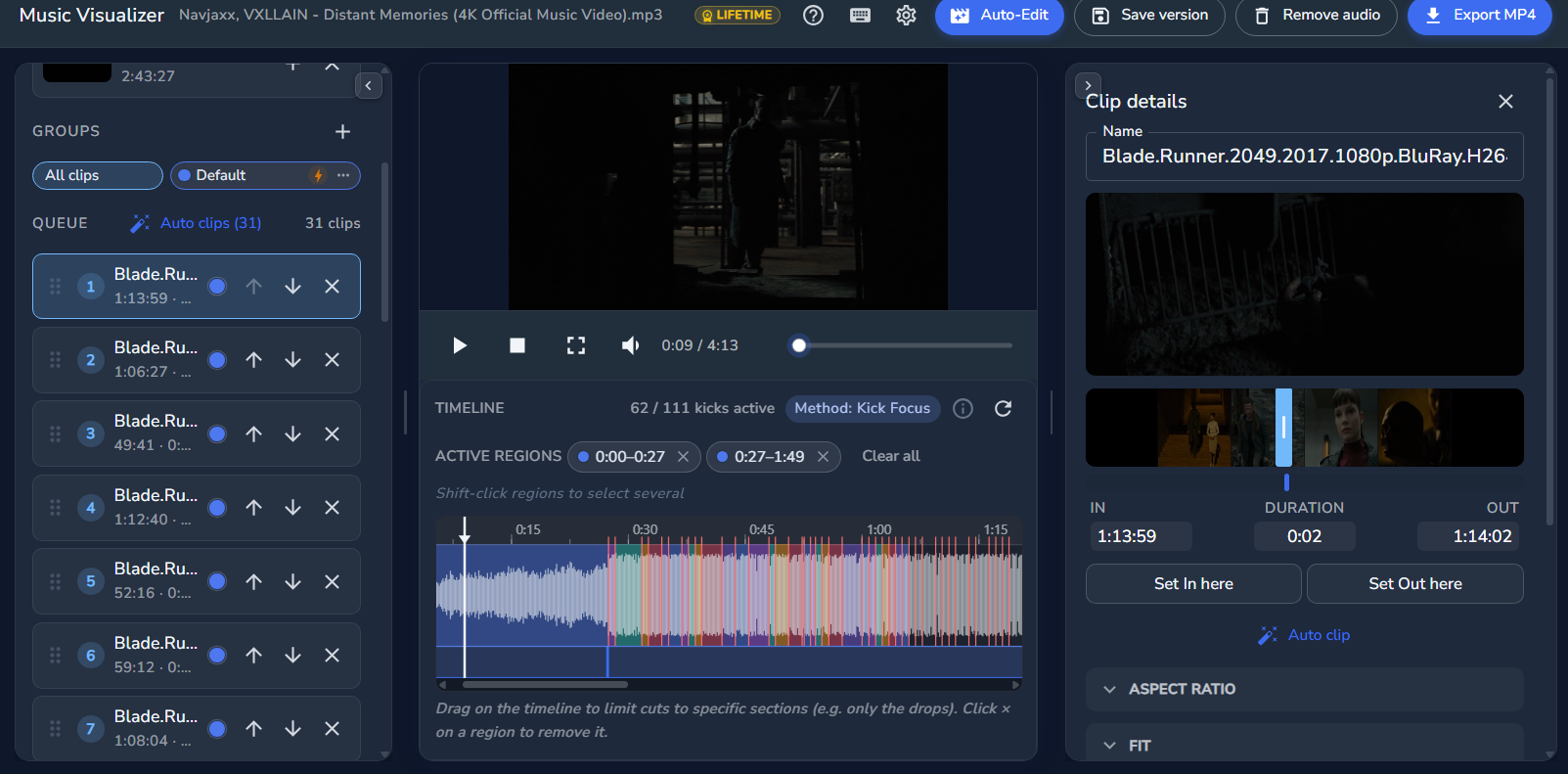 Cuts on the beat
Style every transition your way
Browse a library of transitions and build your look, from a clean hard cut to fades, dissolves and slides. Set one default for the whole video or override a single cut.
- Choose a project-wide default in one click
- Layer accent transitions like flash and shake
- Preview the whole edit, then export a finished MP4
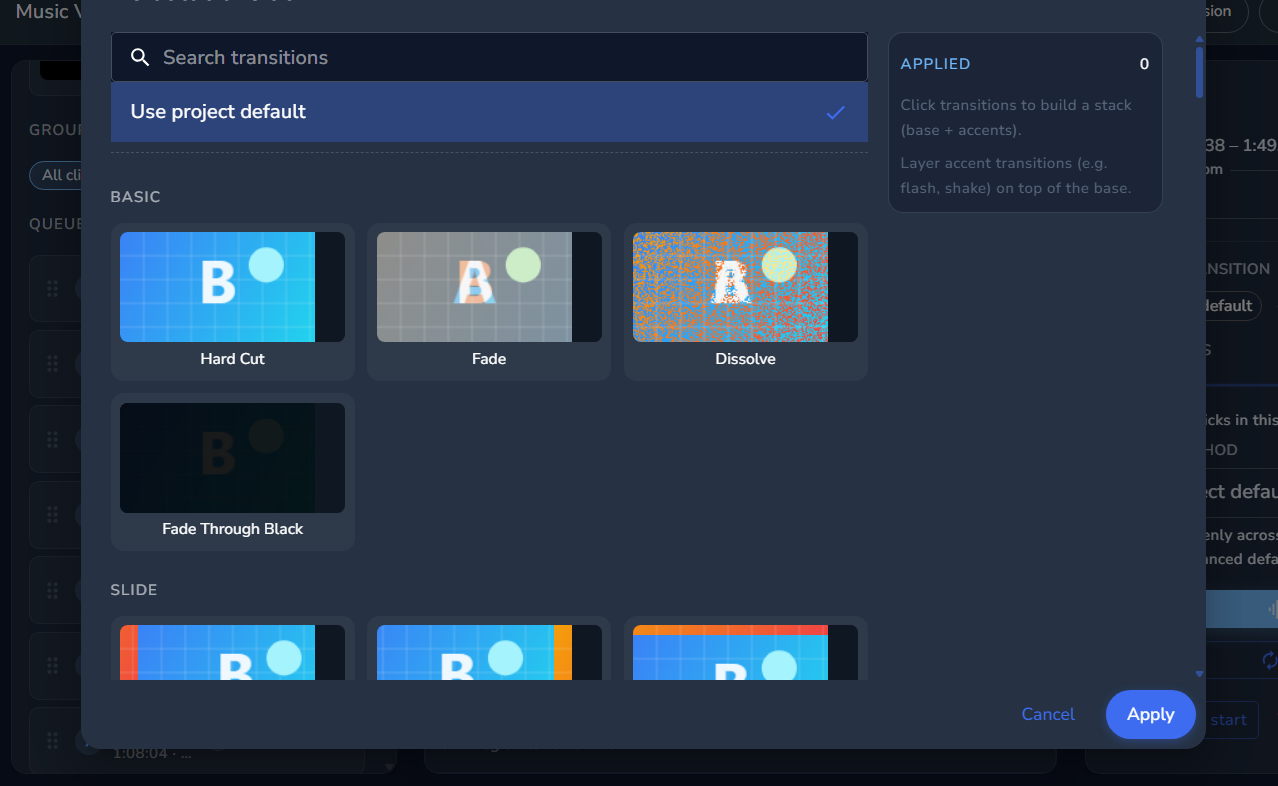 Stack transitions
Ramp each clip's speed with a curve
Shape how a clip plays through time. Ease into slow-mo, then snap up to full speed. The slope of the curve is the speed: a flat line stays a steady 1x, a hump pushes it up to 2.5x right where you want it.
- Ramp from smooth slow-mo up to a punchy 2.5x
- Set where on the clip the speed change starts and ends
- Drop the speed peak right on the moment that hits
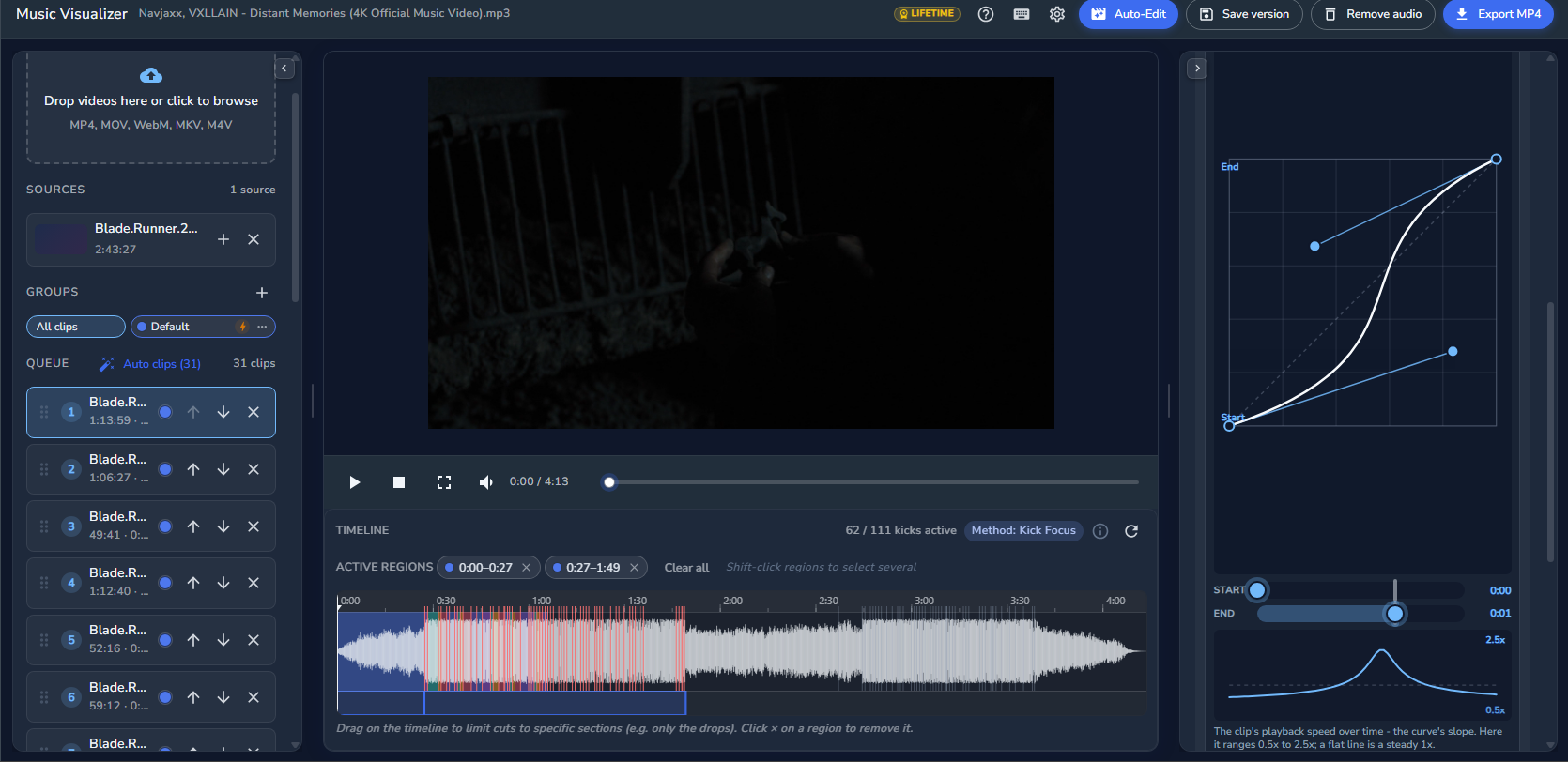 Speed Curves (Flow)
How Visual Audio Solves It
Upload & Organize Your Projects
- Upload FL Studio, Ableton & Logic Pro zip files
- All your demos and versions in one place no more lost files
- Your project is encrypted and only yours until you choose to share
Collab Safely or Find a Partner
- Invite a producer you know they get access, you stay protected
- Post a collab publicly so the right producer can find you
- Leave notes, give feedback, and track changes all in one thread
Get Mix Hints You Make the Calls
- AI listens to your track and points out what to look at
- Suggestions on EQ, levels, and balance not an automated mix
- Available in multiple languages so nothing gets lost in translation
How The Workflow Works
Self feedback - drop notes to yourself also in collabs. Listen to your preview track anywhere, anytime, and come back later to apply those changes. No more stress, no more sending DMs to friends, no more messaging yourself on Telegram or WhatsApp. Everything in one place.